One image, the whole story
A labeled contact-sheet montage you paste in a single message. No 40-attachment chat.
Flipbook captures your screen as a sequence of labeled frames — one clean montage you paste straight into Claude Code, Cursor, or Copilot. The animation, the glitch, the flow you couldn't put into words? Now your AI can see it.
Free · 100% local · No account · Nothing leaves your machine
Open source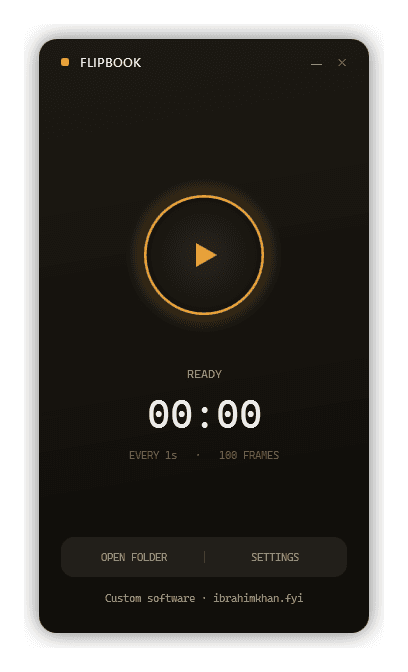
You’ve tried it: “the menu flickers on the second open, but only after the page scrolls, and the easing feels off near the end…” Three paragraphs later, your AI still guesses wrong — because words can’t carry motion.
And a single screenshot is just one frozen instant of something that only makes sense in sequence.
Hit a hotkey. Flipbook quietly grabs your screen — or just one window — frame by frame, on a timer or only when something actually changes.
It stitches the frames into one labeled grid. Every tile is stamped with its frame number and timestamp, so "between frame 4 and 5 it glitches" actually means something.
Click Copy Montage, paste into your AI chat. It reads the sequence like video — the motion, the states, the glitch — and gets to work. Want a deeper read? Drop the full-res frames too.
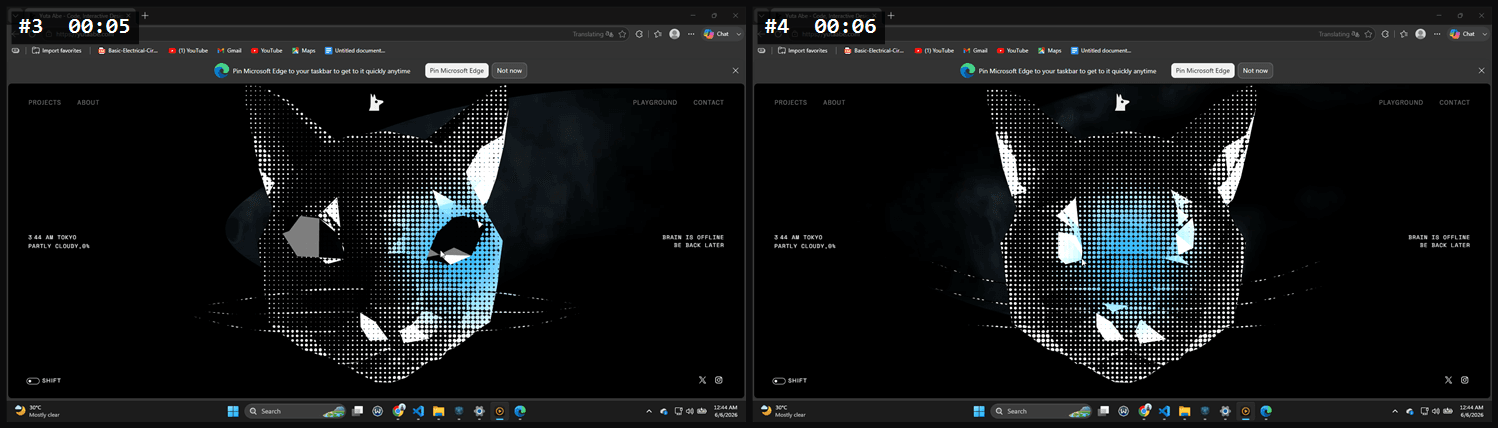
A labeled contact-sheet montage you paste in a single message. No 40-attachment chat.
Capture-on-change keeps only the frames where something moved. No 200 identical stills to wade through.
Capture one app via the native picker — no messy desktop in the shot.
Global hotkey plus system tray. The app hides itself, so it's never in your own screenshots.
Lossless PNGs in a timestamped session folder, named so order and elapsed time read frame-by-frame.
Zero network requests. No telemetry, no account. Your screen never leaves your machine.
Most AI models can't watch video — and the ones that can usually sample a few blurry frames and miss the exact moment that matters.
Discrete, labeled stills are what image models read best. Flipbook hands them a clean sequence instead of asking them to guess.
Video → AI samples a few blurry frames
Labeled stills → read frame-by-frame
Capture a site's motion, hand over the frames, get a faithful starting point to build on.
The flicker, jump, or layout shift a single screenshot can't catch.
A multi-step interaction, frame by frame — no screen-share back-and-forth.
Keystrokes, mouse paths, app transitions — captured without remembering to hit record.
// straight talk
Frames let your AI reproduce the look and approximate the motion. It's a brilliant head start for an animation or a faithful bug repro — not a frame-for-frame copy of a proprietary WebGL scene.
We'd rather tell you that up front.
Flipbook makes zero network requests — no telemetry, no update pings, no account. Captures are written only to the folder you choose.
Don't want it anymore? Uninstall, delete two folders, done.
Anything you can paste an image into — Claude Code, Cursor, Copilot, ChatGPT, and friends.
No. It's 100% local, with no network calls at all.
Yes — free and open source.
Windows 11 (64-bit) today. One self-contained .exe — no .NET install needed.
It's not code-signed yet. Click More info → Run anyway; Windows remembers after the first time.
Lossless PNG frames, a montage.png, and a metadata.json — in one timestamped folder per session.
Free · 100% local · Single .exe, no install headaches
Built by IKS
Flipbook is something I designed and shipped solo. Got an idea of your own — an app, an immersive site, a SaaS? I can build that too.
See what I can build for you